Unlocking the fun in Roblox is easier than you think, especially when you have a gift card in hand. This comprehensive guide simplifies the process of how to use your Roblox gift card, ensuring you can quickly dive into your favorite games, customize your avatar, or enhance your gameplay with Robux. Many gamers, especially those balancing work and family, appreciate straightforward instructions to maximize their limited gaming time. We'll cover everything from redeeming your card on different platforms to understanding what you can buy, helping you avoid common pitfalls and get straight to the action. Whether you're looking to grab a new limited item, join a premium experience, or just stock up on in-game currency, mastering your Roblox gift card is a vital skill for any dedicated player. Stay updated with the best practices to make your Robux go further and ensure a smooth, enjoyable gaming experience on the platform that continues to dominate social gaming trends among US players. Get ready to power up your Roblox adventure with ease and efficiency.
How do I redeem my Roblox gift card code?
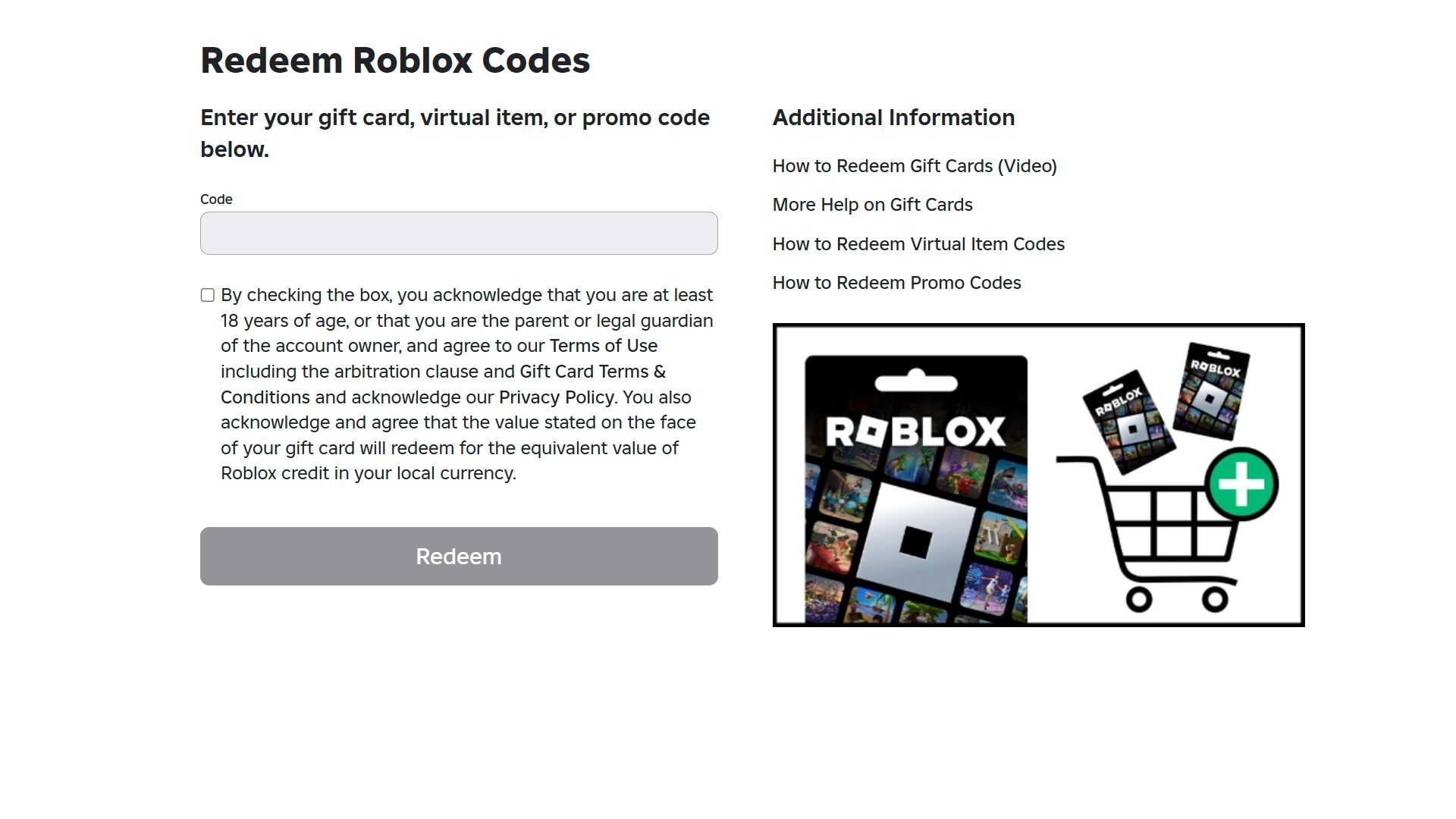
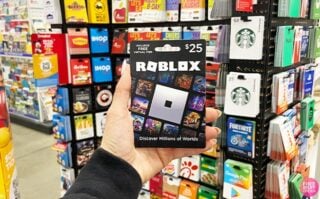
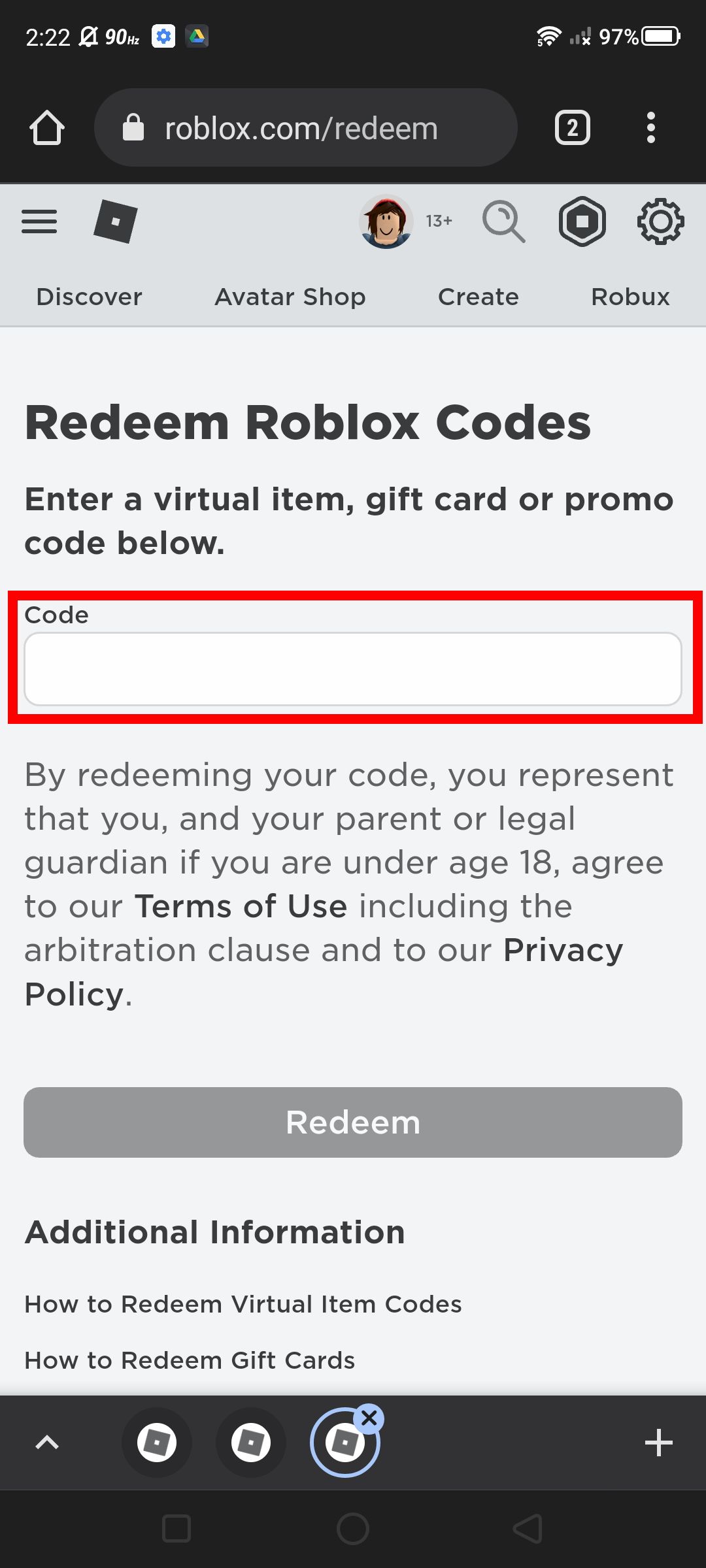
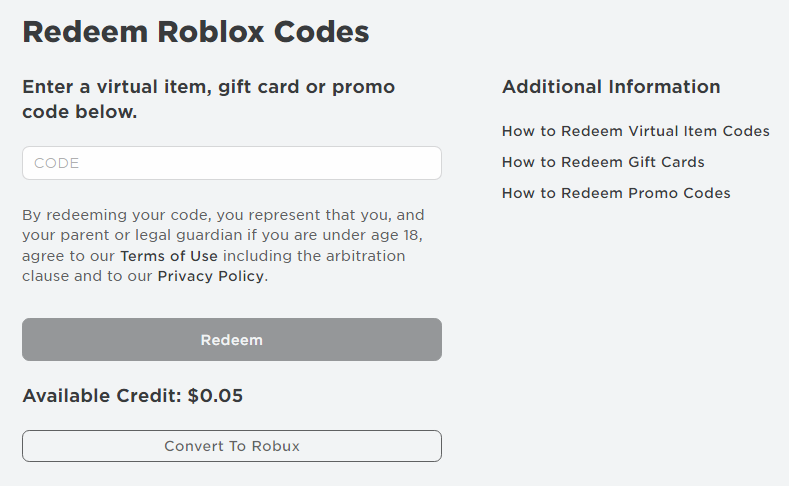
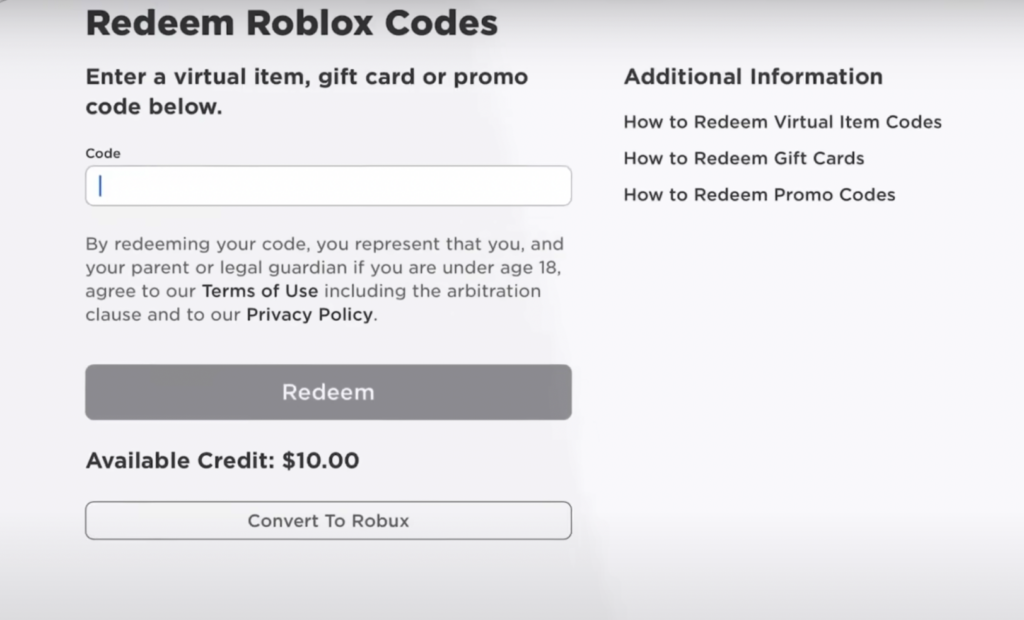
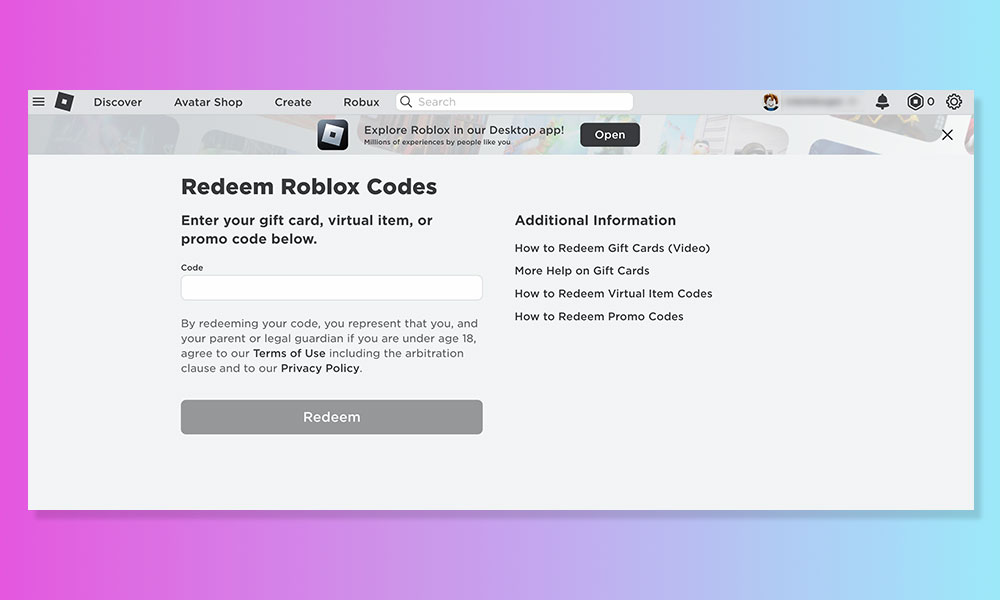
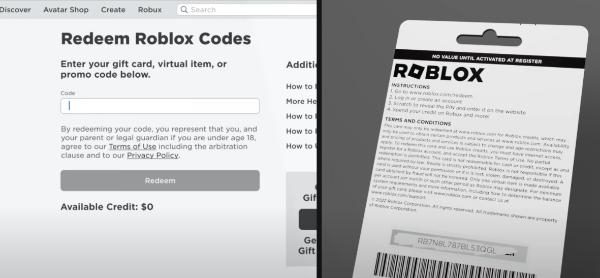
To redeem your Roblox gift card code, navigate to roblox.com/redeem in your web browser. Log in to your Roblox account. Carefully scratch off the silver panel on the physical card or locate the digital code. Enter the PIN into the designated box and click 'Redeem'. The Robux or Premium subscription will then be instantly added to your account, ready for use across all devices where you're logged in.
Can I use a Roblox gift card to buy items directly in a game?
No, you cannot directly use a Roblox gift card to buy items within a game. The gift card must first be redeemed on the official Roblox website (roblox.com/redeem) to convert its value into Robux or a Premium subscription. Once the Robux are in your account, you can then use them to purchase in-game items, game passes, or avatar accessories as desired from any platform.
What should I do if my Roblox gift card is showing as already redeemed?
If your Roblox gift card shows as already redeemed, first double-check that you haven't previously used it or if a family member might have. Clear your browser's cache and cookies, then try redeeming again. If the issue persists, gather your proof of purchase (receipt, digital order confirmation) and the gift card's PIN. Contact Roblox Support directly with this information for assistance, as they can investigate the card's redemption history.
Are there regional restrictions for Roblox gift cards?
Yes, Roblox gift cards often have regional restrictions. A gift card purchased in one country (e.g., the United States) may only be redeemable on a Roblox account registered in that same region. Always check the card's packaging or the retailer's terms to ensure compatibility with your account's region to avoid redemption issues. Using a VPN is generally not recommended for redemption.
How can I get the most value out of my Roblox gift card?
To get the most value from your Roblox gift card, consider what you truly want to achieve. If you're a frequent player, redeeming for a Premium subscription often provides a better long-term return with monthly Robux and bonuses. If you have specific items in mind, wait for sales or limited-time events. Research the best game passes for your favorite experiences. Avoid impulse purchases and prioritize items that genuinely enhance your gameplay or customization.
Can I combine multiple Roblox gift cards on my account?
Yes, you can absolutely combine multiple Roblox gift cards on your single account. Each gift card must be redeemed individually through the official roblox.com/redeem page. The Robux or Premium benefits from each successfully redeemed card will then stack and be added to your account's total balance. This allows you to accumulate a larger amount of Robux from several smaller cards.
Is it possible to receive a refund for a redeemed Roblox gift card?
No, once a Roblox gift card has been successfully redeemed for Robux or a Premium subscription, the transaction is generally considered final, and refunds are not provided. Robux cannot be converted back into real money. Therefore, it's crucial to ensure the card is valid, correctly entered, and intended for your account before completing the redemption process. Purchase cards only from trusted sources to avoid issues.
Hey fellow gamers! Ever find yourself with a Roblox gift card in hand, excited to jump into a new adventure or grab that awesome avatar item, only to be met with a moment of 'wait, how do I actually use this thing?' You're not alone. We've all been there, juggling work, family, and the precious few hours we get to unwind with our favorite games. The last thing you want is a complicated redemption process standing between you and your well-deserved gaming session.
Good news! Redeeming your Roblox gift card is surprisingly straightforward once you know the steps. In a world where 87% of US gamers regularly play, often squeezing in 10+ hours a week, efficiency is key. Roblox, a dominant force in social gaming and mobile platforms, understands this. This guide is designed for you – the busy gamer who values clear, concise information and wants to get back to playing without fuss. We'll walk you through exactly how to use your Roblox gift card, so you can transform that plastic into pure gaming fun, whether you're building a new world or battling friends.
From navigating the redemption page to troubleshooting common issues, we'll ensure your Robux are ready for action. Let's make sure your valuable gaming time is spent playing, not puzzling over how to use a gift card. Get ready to unlock new experiences and express your creativity in the vibrant world of Roblox.
How Do I Redeem My Roblox Gift Card Online?
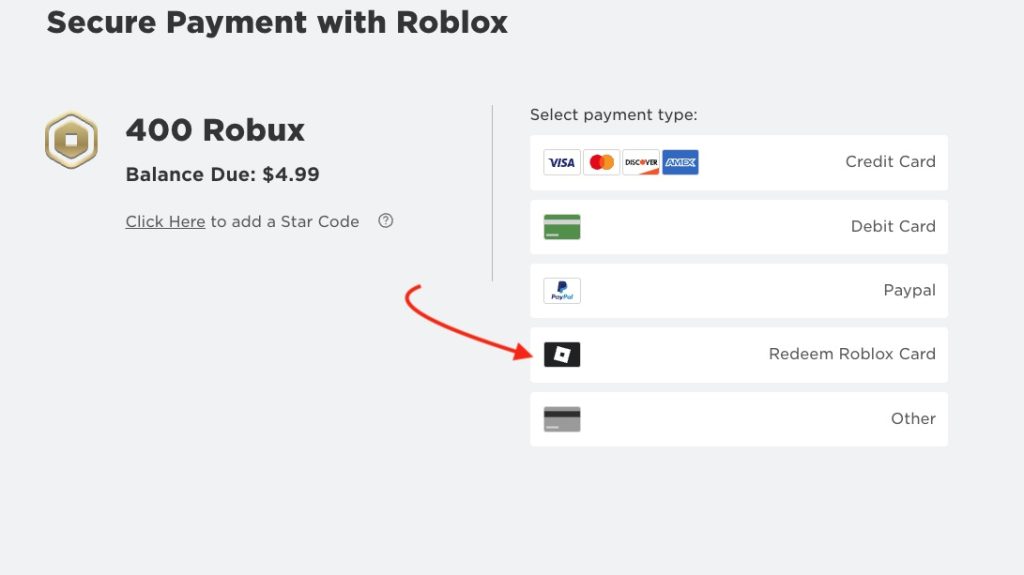
Redeeming your Roblox gift card online is the most common and convenient method, allowing you to add Robux or a Premium subscription directly to your account. First, ensure you're logged into the correct Roblox account on a web browser. Head over to the official Roblox website's redemption page. This dedicated portal is specifically designed for gift card codes and usually has a clear input field.
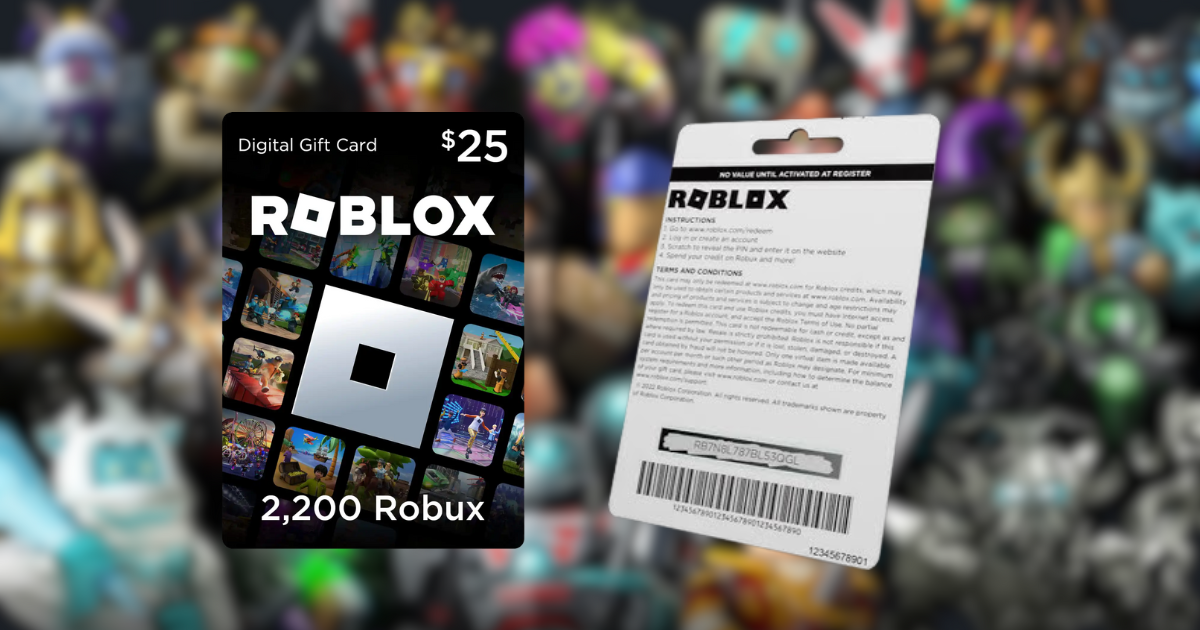
Once on the page, carefully scratch off the silver panel on the back of your physical gift card to reveal the unique PIN code. For digital cards, the code will be provided in your email or purchase confirmation. Enter this code precisely into the redemption box. Double-check for any typos, as even a single incorrect character can prevent successful redemption. After entering, click 'Redeem' and confirm the transaction. Your Robux or Premium membership will then be instantly added to your account, ready for use.
What Can I Purchase with My Roblox Gift Card?
Your Roblox gift card essentially provides you with Robux, Roblox's virtual currency, or a Premium subscription, opening up a world of possibilities within the platform. With Robux, you can buy in-game items like exclusive avatar clothing, accessories, animations, and emotes to truly personalize your character. Many popular games on Roblox offer unique experiences or game passes that can be purchased with Robux, providing access to special abilities, levels, or features.
You can also use Robux to create or upgrade your own experiences, buy advertisements for your creations, or participate in trades. A Premium subscription, on the other hand, grants you a monthly Robux stipend, exclusive items, and a 10% bonus on all Robux purchases, making it a great value for dedicated players. It's all about enhancing your gameplay and customization options.
Can I Use a Roblox Gift Card on Mobile Devices?
Yes, you absolutely can use a Roblox gift card on mobile devices, though the redemption process typically needs to be done through a web browser, not directly within the Roblox mobile app. Many gamers today primarily play on mobile, with mobile gaming dominating the market, so this is a crucial detail. To redeem your gift card using your phone or tablet, simply open your device's web browser (like Chrome or Safari) and navigate to the Roblox gift card redemption page. Ensure you are signed into your Roblox account within that browser.
The steps are identical to redeeming on a desktop: enter the PIN, click 'Redeem,' and confirm. Once redeemed, the Robux or Premium subscription will be linked to your Roblox account and will be accessible across all platforms where you log in, including your mobile app, PC, or console. This seamless integration ensures you can enjoy your purchased content no matter how you choose to play.
What if My Roblox Gift Card Code Isn't Working?
Encountering an issue where your Roblox gift card code isn't working can be frustrating, especially when you're eager to get back to gaming. Before panicking, there are a few common troubleshooting steps you can take. First, double-check the code for any typos. Often, a '0' might be mistaken for an 'O', or an 'I' for a '1'. Ensure you've scratched off the silver panel completely if it's a physical card, and that all characters are clearly visible.
Next, confirm you're on the official Roblox gift card redemption page (roblox.com/redeem). Avoid third-party sites, which can be scams. Clear your browser's cache and cookies, or try using a different web browser or device, as sometimes local browser issues can cause problems. Also, verify the card hasn't already been redeemed by someone else or by accident. If all else fails, contact Roblox Support with your card's PIN and proof of purchase. They are equipped to investigate and resolve issues with valid cards.
How Do I Check My Roblox Gift Card Balance?
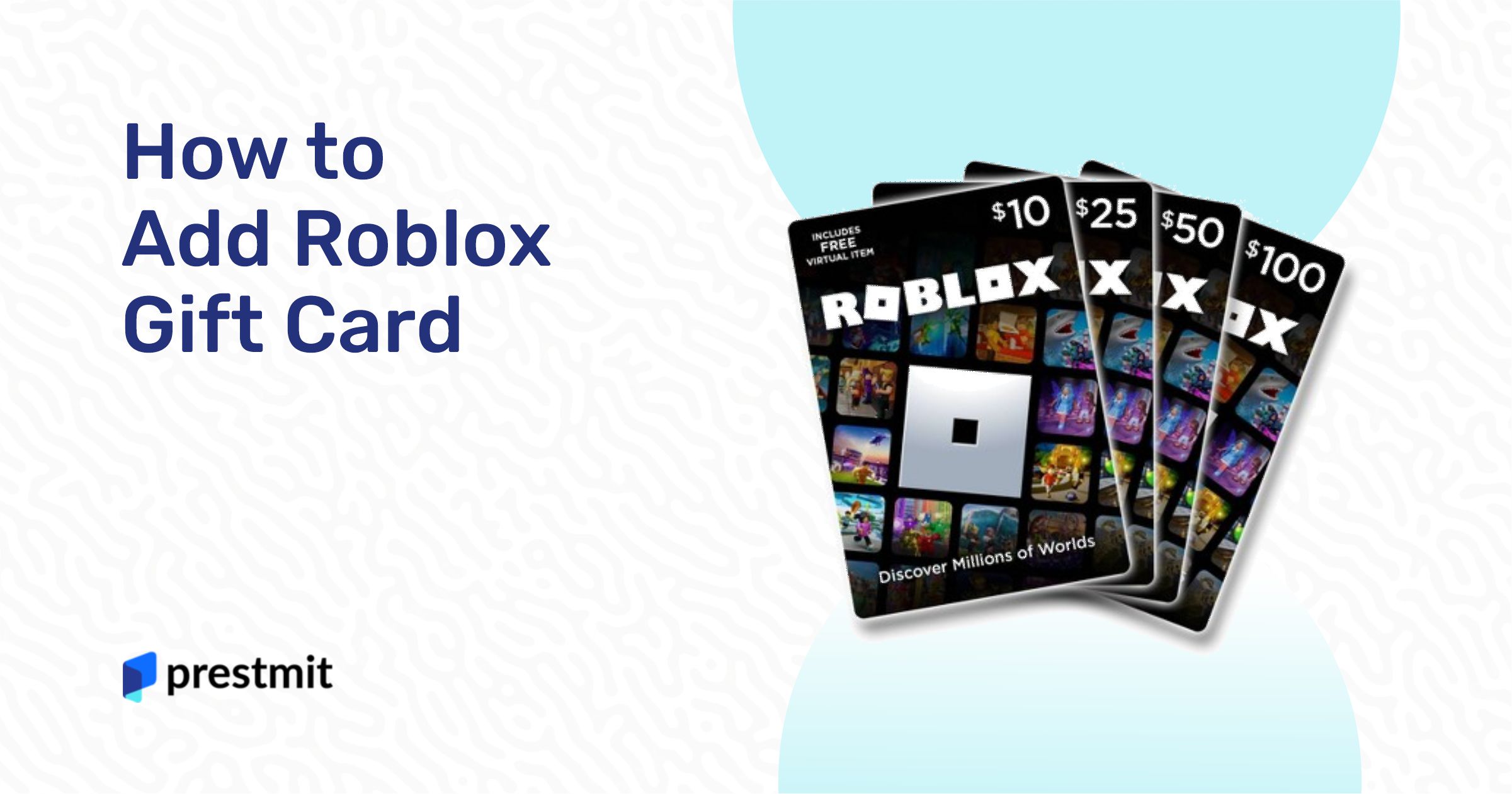
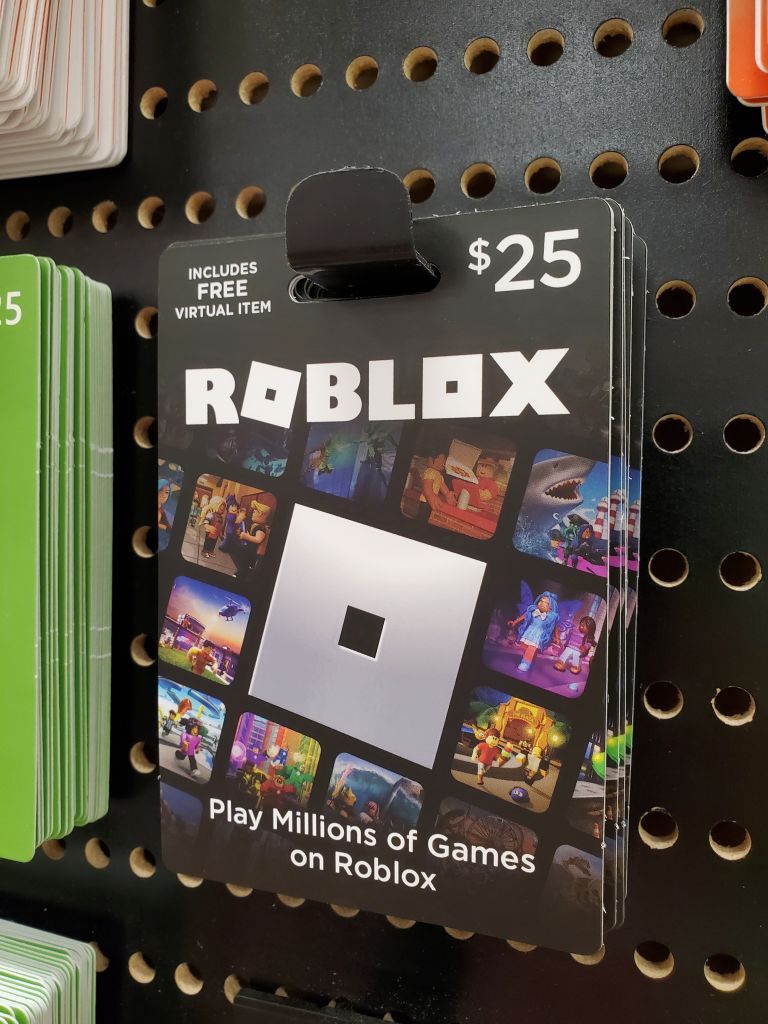
Unlike some other gift cards, Roblox gift cards are typically for a set amount of Robux or a Premium subscription and are fully redeemed in a single transaction. This means there isn't usually a remaining 'balance' on the card itself after redemption. Once you've entered the code, the value is transferred to your Roblox account as Robux or activates your Premium membership. Your Robux balance can always be seen at the top right corner of the Roblox website when you're logged in, or within the Roblox app. If you're trying to check the value of a physical card before redemption, the value (e.g., $10, $25) will be printed on the card itself or on its packaging. For digital cards, this information will be in your purchase email.
Are There Any Fees When Using a Roblox Gift Card?
No, there are no additional fees or hidden charges when you use a Roblox gift card to redeem Robux or a Premium subscription. The value of the card you purchase is exactly what you get. For example, a $10 Roblox gift card will provide you with the exact amount of Robux corresponding to that value (minus any sales tax that may have been applied at the original purchase of the card, not at redemption). This makes them a straightforward and transparent way to manage in-game spending, which is a big plus for gamers looking to balance their budget without unexpected costs. What you see is what you get, allowing you to plan your virtual purchases with confidence.
Can I Gift a Roblox Gift Card to a Friend?
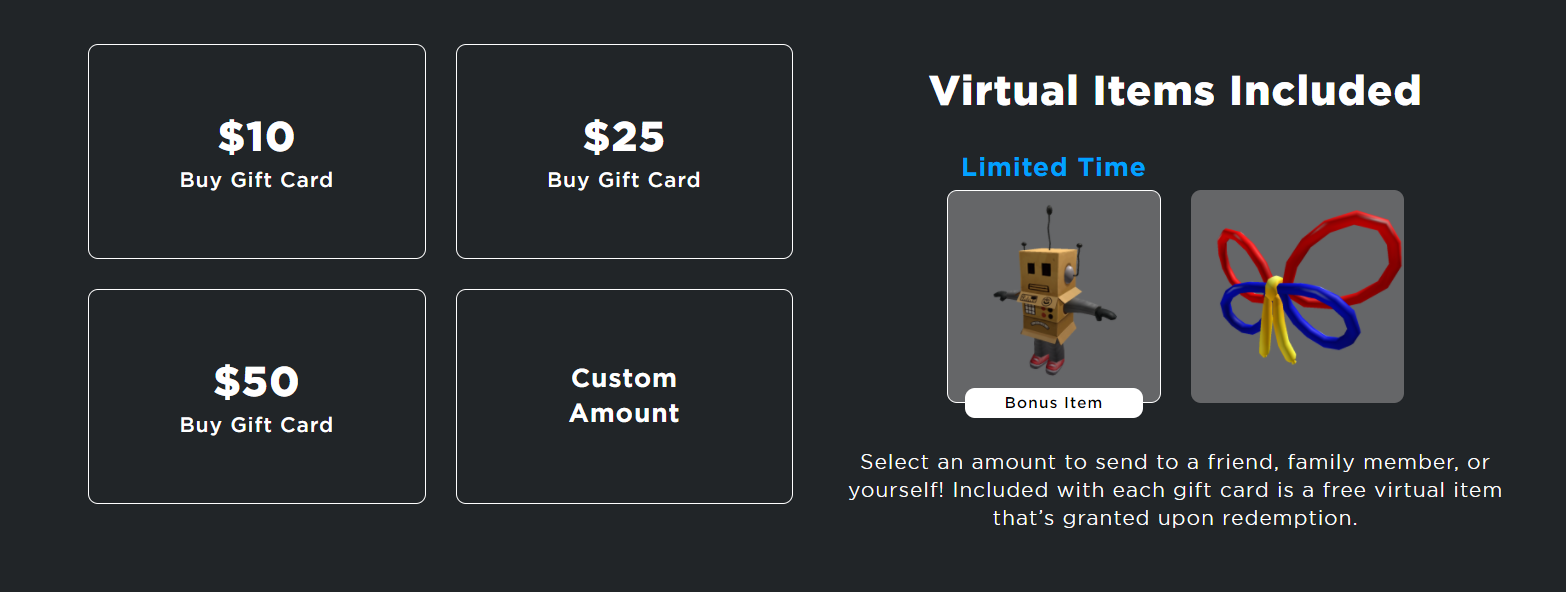
Absolutely! Roblox gift cards make excellent presents for friends, family, or anyone who enjoys the platform, especially with social gaming being a huge trend this month. Gifting a Roblox card is a fantastic way to enable them to choose their own favorite items, game passes, or even a Premium subscription. It's a thoughtful present that lets them personalize their gaming experience without you having to guess what they might like. You can purchase physical gift cards at various retail stores, making them easy to wrap and present. Digital gift cards can be bought online and emailed directly to the recipient, often arriving almost instantly. Just make sure you're sending the correct digital code to the right email address, and they'll be able to redeem it just like you would.
What's the Difference Between Robux and a Roblox Premium Subscription?
Understanding the distinction between Robux and a Roblox Premium subscription is crucial for maximizing your gaming value. Robux is Roblox's universal virtual currency. You use Robux to purchase items, game passes, and access premium experiences directly within games. Think of it as the money you spend on specific in-game content. A Roblox Premium subscription, on the other hand, is a recurring membership service that offers a monthly Robux allowance, exclusive items, and a 10% bonus on all Robux purchases. Premium also gives you the ability to trade items and grants you access to Premium-only levels or servers in some games. While Robux is for individual purchases, Premium is an ongoing benefit package for dedicated players, providing better value over time for those who frequently engage with the platform.
How Can I Ensure Secure Roblox Gift Card Usage?
Ensuring secure Roblox gift card usage is paramount to protect your funds and personal information. Always purchase gift cards from reputable retailers or the official Roblox website. Avoid buying from unofficial resellers or unknown websites that offer discounted cards, as these could be fraudulent. When redeeming, only do so on the official roblox.com/redeem page. Never share your gift card PIN or your account password with anyone, especially not through unsolicited emails or messages claiming to be from Roblox support. Roblox support will never ask for your password. Be wary of phishing scams that try to trick you into entering your code on fake websites. Treating your gift card PIN like cash is the best way to keep your Robux safe and your gaming experience secure.
Can I Combine Multiple Roblox Gift Cards?
Yes, you can absolutely combine multiple Roblox gift cards! Each card is redeemed individually, and the Robux value or Premium subscription from each card will be added to your single Roblox account. This is great news if you've received several cards as gifts or if you're stocking up on Robux. For example, if you have two $10 gift cards, you would redeem the first one, and then immediately proceed to redeem the second one using the same steps. The Robux from both cards will then accumulate in your account, giving you a larger total balance to spend on your favorite items, experiences, or a longer Premium subscription. It's a seamless way to consolidate your virtual currency and manage your funds.
What are the Current Trends in Roblox Purchases?
The Roblox marketplace is always evolving, reflecting broader gaming trends among US players. Currently, we're seeing a significant rise in demand for unique avatar customization items, especially limited-time event items or collaborations with popular brands. Social games and 'cozy' experiences that emphasize community, building, and exploration are also seeing increased Robux spending for game passes and in-game advantages. Many players are investing in passes for popular 'roleplay' and 'simulator' games, reflecting the desire for immersive social experiences. Furthermore, with the growing influence of creators and streamers, items promoted by popular Roblox personalities often see spikes in purchases. Savvy gamers are looking for value, often using Robux to enhance experiences they play regularly or to support their favorite creators.
Is a Roblox Gift Card a Good Value for Money?
For many gamers, a Roblox gift card offers excellent value for money, especially when you consider how it enhances the overall gaming experience. It provides direct access to Robux or Premium, allowing players to personalize their avatars, unlock exclusive content, and support their favorite creators. This empowers players to tailor their experience, which is particularly appealing to adult gamers who value meaningful engagement in their limited free time. Compared to other entertainment options, Roblox's vast ecosystem of user-generated content means your Robux can go a long way in exploring diverse worlds and activities. Furthermore, avoiding direct credit card transactions for in-game purchases can also be a budgeting tool for many families. It's an investment in hours of fun, creativity, and social interaction within a platform that continues to grow in popularity.
As we wrap up our guide on how to use your Roblox gift card, remember that these little cards are your passport to unlocking endless fun, creativity, and social interaction within one of the world's most dynamic gaming platforms. Whether you're a seasoned player or new to the block, redeeming your card and making smart purchases should now be a breeze.
We understand that balancing gaming with life's other demands means you need efficiency and clarity. Hopefully, this guide has provided just that, empowering you to make the most of your Robux and dive back into the action without a hitch. What's your biggest gaming challenge when it comes to in-game purchases? Comment below!
FAQ Section
Can I redeem a Roblox gift card on an Xbox or PlayStation?
No, Roblox gift cards for Robux or Premium must be redeemed via a web browser on roblox.com/redeem. Once redeemed, the Robux or Premium status will apply to your account across all platforms, including Xbox and PlayStation, as long as you're logged into the same Roblox account.
Do Roblox gift cards expire?
Generally, Roblox gift cards purchased in the US do not expire, and their value remains valid until redeemed. Always check the terms and conditions on the card itself or with the retailer, but expiration is rare for Robux gift cards.
What if I lose my gift card after scratching off the code?
If you've already revealed the PIN, treat it like cash. If it's lost before redemption, the card and its value are gone. If you've noted the PIN down, you can still redeem it online. Contact Roblox Support if you have proof of purchase and the PIN but encounter an issue.
Can I convert Robux back to real money?
No, Robux cannot be converted back into real-world currency once redeemed to your account. All sales of Robux are final, so plan your purchases carefully.
How long does it take for Robux to appear after redemption?
In most cases, Robux from a gift card redemption will appear in your account instantly. Occasionally, it might take a few minutes due to system processing. If it doesn't appear after a reasonable wait, refer to the troubleshooting steps or contact Roblox Support.
Easy Roblox Gift Card Redemption Steps, Maximize Robux Value, Cross-Platform Card Use, Common Redemption Issues Solved, Understanding Robux Purchases, Secure Gift Card Usage, Roblox Premium Benefits, In-Game Item Buying
35


How To Redeem Roblox Gift Card 2026 Mobile PC Guide Roblox Gift Card.webp. How To Redeem A Roblox Gift Card 2026 YouTube . Redeeming Roblox Gift Cards A 2026 Easy Guide Aid13048073 V4 1200px Use A Roblox Gift Card On IPhone Step 10 . HOW TO Use Your ROBLOX Gift Card YouTube . How To Redeem Roblox Gift Card 2026 Guide AxeeTech Roblox Gift Card Redeem Page Screenshot


How Do You Redeem A Roblox Gift Card GameDaily How Do You Redeem A Roblox Gift Card . How To Redeem A Roblox Gift Card July 2026 Com Redeem Pin 6425158 . How To Add A Roblox Gift Card On The App 2026 Guide For All Devices How To Add Roblox Gift Card On App Hero 300x168 . Complete Guide Robux And Roblox Cards How To Buy And Redeem. How To Add A Roblox Card To Your Account In 2026 Tap On Redeem Card


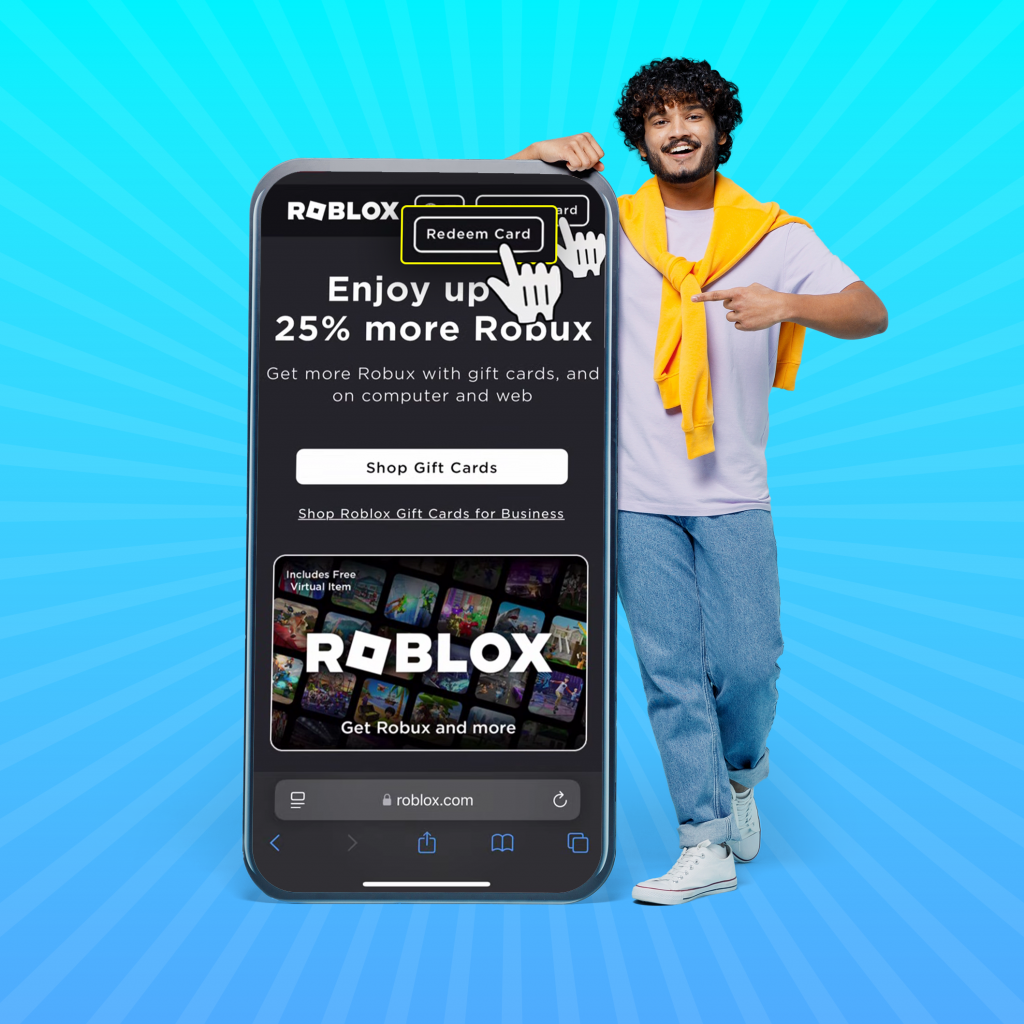
Redeeming Roblox Gift Cards A 2026 Easy Guide How To Redeem A Roblox Gift. Ultimate Guide To Roblox Gift Cards All You Need To Know Image 8 . Level Up Your Robux How To Add A Card To Roblox . How To Redeem A Roblox Gift Card A Step By Step Guide 67e066fa 8d5c 40c6 Aa64 Webp.webp. How To Redeem Roblox Gift Card R3 1024x1024
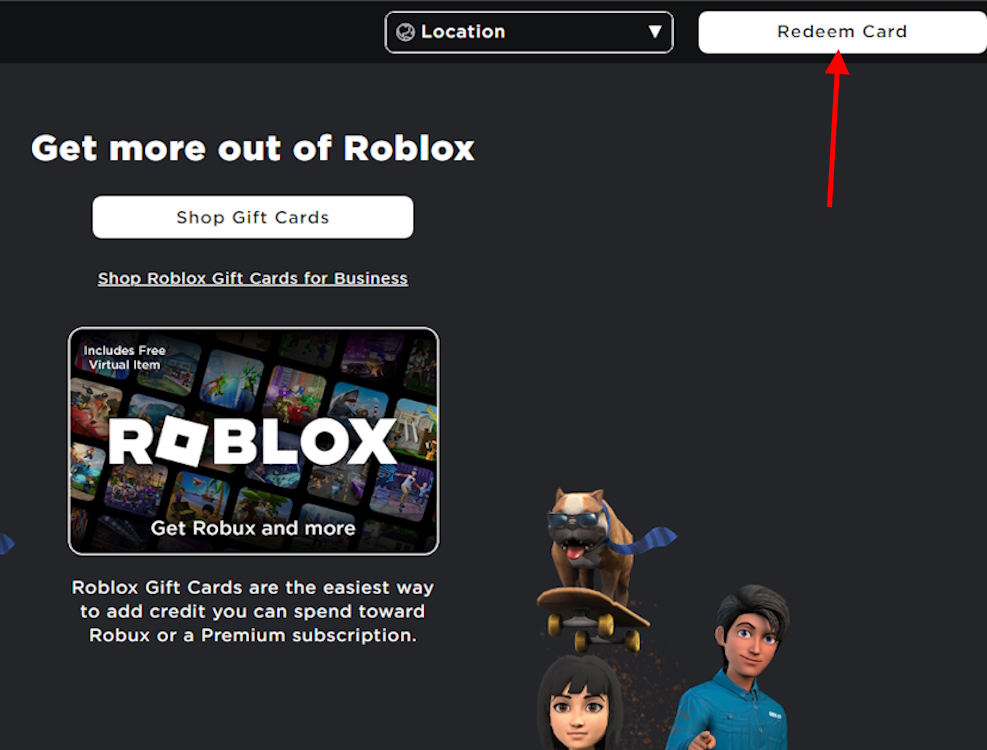
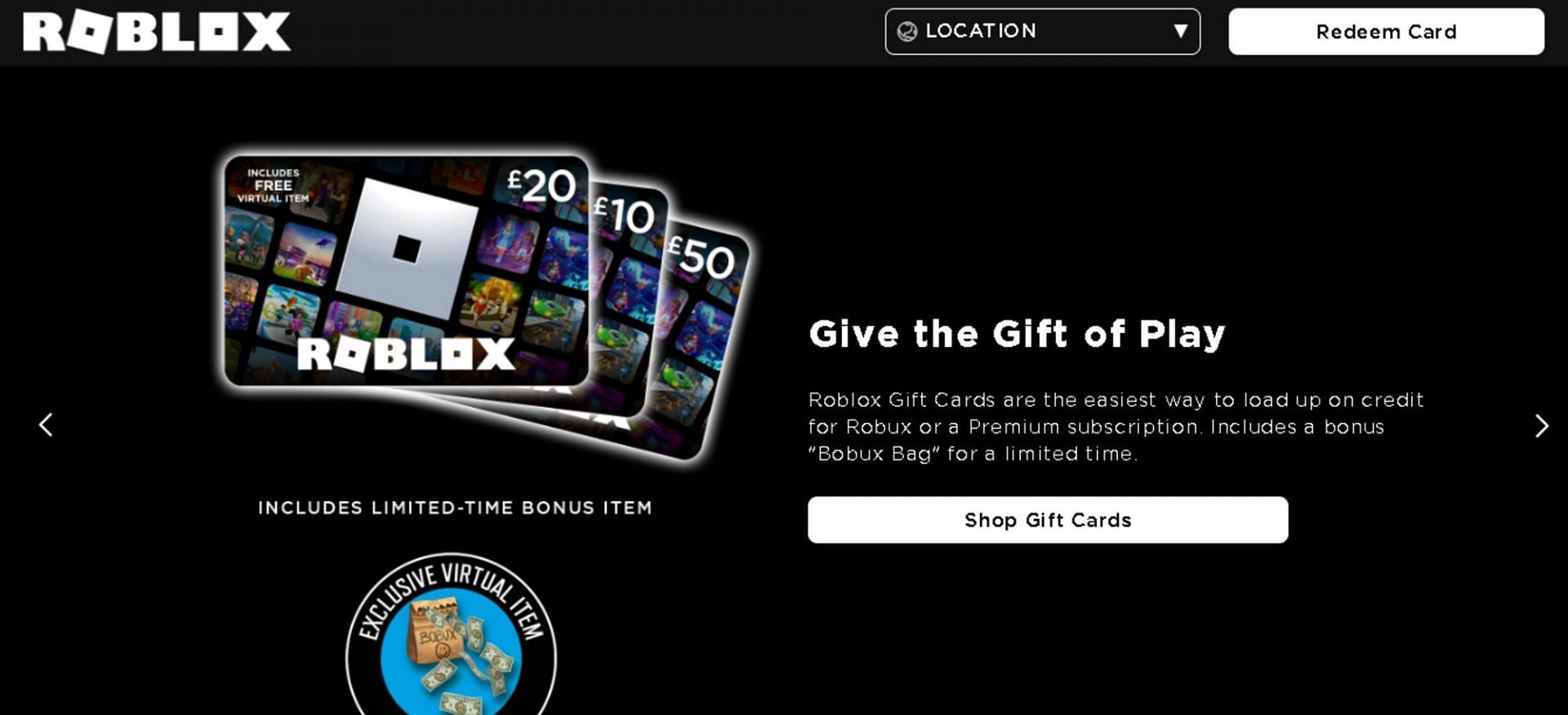
Redeeming Roblox Gift Cards A 2026 Easy Guide Redeem Gift Card Option . Redeeming Roblox Gift Cards A 2026 Easy Guide Redeem Roblox Gift Cards Screen . How To Redeem A Roblox Gift Card A Step By Step Guide Ccafd 1920 . A Guide On How To Use Roblox Gift Cards Gamezebo Billede1 320x199 . Redeeming Roblox Gift Cards A 2026 Easy Guide Roblox Redeem 6
How To Add A Roblox Card To Your Account In 2026 Redeem Roblox Card 1024x575 . How To Add Roblox Gift Card A Step By Step Guide WebBanner 112 . How To Redeem And Use Roblox Gift Cards In 2026 Nosh Artboard 6 3 750x600 . What Are Roblox Gift Cards And How To Use Them Ce980 1920 . Step By Step Guide To Redeeming Your Roblox Gift Card How To Redeem Roblox Gift Card For Cash 13fed90b7f
How To Redeem Roblox Gift Card Step By Step Guide Gift Certificate For In Game Purchases In The Popular News Photo 1697745836 . How To Redeem And Spend Your Gift Card Roblox Support Mceclip0 . How To Gift Robux In Roblox For 2026 Your Ultimate Guide Roblox Gift Card Redeem 1024x620 . How To Redeem A Roblox Gift Card July 2026 Com Redeem Page 9549829 . How To Redeem A Roblox Gift Card Step By Step Guide Roblox Gift Card.webp

Where To Buy Roblox Gift Cards Everything You Need To Know 04d773ff 0b64 499e Bd64. Where To Buy Roblox Gift Cards Everything You Need To Know 7f028d1b 640c 4c6d A332. How To Redeem A Roblox Gift Card Roblox Giftcard Item . How To Redeem Use Your Roblox Gift Card YouTube . How To Get Your Roblox Gift Card Redeem How To Redeem Roblox Gift Card 4