Navigating Google's age verification process is crucial for accessing certain content and services. This comprehensive guide covers everything from the necessity of age verification to the simple steps involved and potential troubleshooting. As digital platforms prioritize user safety, understanding how to verify your age on Google in 2026 ensures a seamless online experience. Learn about document requirements, privacy considerations, and what happens if you cannot complete verification. This guide is an essential resource for anyone looking to unlock the full spectrum of Google's offerings while complying with evolving platform policies. Discover tips and tricks for a smooth verification journey today.
Welcome to the ultimate living FAQ for verifying your age on Google, meticulously updated for 2026! Navigating Google's age requirements can feel like a maze sometimes, especially with new digital regulations and platform updates coming out. This guide cuts through the confusion, providing you with clear answers, insider tips, and practical tricks. Whether you are trying to access age-restricted content, manage a family account, or simply ensure your profile is accurate, we have got you covered. This resource is designed to be your go-to reference for all things age verification, making your online experience smoother and more secure. Let's get started!
Understanding Google Age Verification Basics
What is the minimum age to have a Google Account in the USA?
In the USA, you generally need to be 13 years old to manage your own Google Account. If you are younger than 13, a parent or guardian must manage your account through Google Family Link. This rule helps Google comply with child online protection regulations and ensures a safe browsing environment for younger users.
Why is Google asking me to verify my age now?
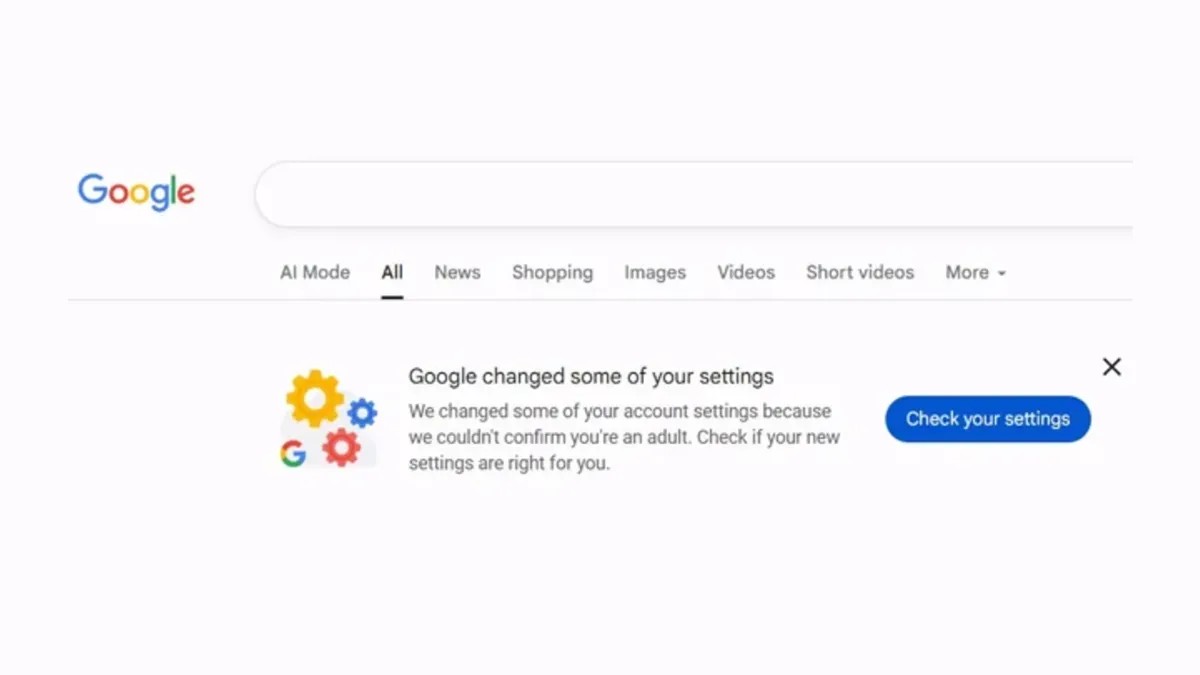
Google often requests age verification if your account activity suggests you might be underage or if you try to access age-restricted content like certain YouTube videos. This ensures compliance with various regional laws and internal policies designed to protect minors. The system might also flag accounts with ambiguous birthdate entries.
How long does Google keep my age verification documents?
Google states it will keep your age verification documents only for the necessary period to verify your age, typically a few days. Once verified, the documents are securely deleted. They prioritize user privacy, adhering to strict data retention policies.
Methods for Age Verification
Can I verify my age on Google without a credit card or ID?
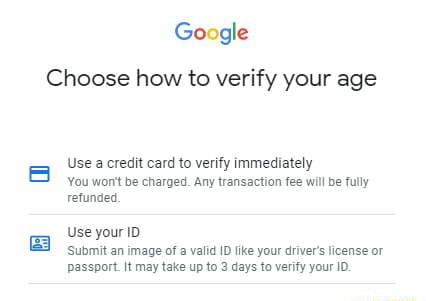
Generally, Google requires either a valid government-issued ID or a credit card for age verification. These are the primary, secure methods to confirm identity. There are no commonly accepted alternative methods like utility bills or personal attestations, although parental consent via Family Link serves a similar purpose for minors.
What should I do if my ID or credit card verification fails?
If your ID or credit card verification fails, first recheck the uploaded document for clarity, expiration, and matching details. Ensure your credit card information is accurate and has sufficient funds for the temporary authorization. If issues persist, try an alternative verification method or contact Google Support for further assistance, providing all relevant details.
Troubleshooting and Account Management
Myth vs Reality: Google stores all my ID details permanently.
Myth: Google keeps permanent copies of your government ID. Reality: Google explicitly states it deletes verification documents shortly after the age verification process is completed. This policy is in place to protect your privacy and comply with data protection regulations globally. They are not interested in storing sensitive personal documents long-term.
Myth vs Reality: Verifying my age will stop all targeted ads.
Myth: Age verification eliminates all targeted advertising. Reality: Age verification primarily restricts access to age-inappropriate content and services. While it can influence ad categories (e.g., preventing alcohol ads for minors), it does not stop all targeted advertising. Google still uses other data points for ad personalization, unless you adjust your ad settings specifically.
Myth vs Reality: Only YouTube requires age verification on Google.
Myth: Only YouTube asks for age verification. Reality: While YouTube is a common trigger, age verification applies across many Google services, including Google Play (for app purchases), Google Search (for SafeSearch settings), and even creating a Google Account itself. It is a fundamental account setting impacting your entire Google ecosystem experience.
Myth vs Reality: Changing my birthday in settings is enough for verification.
Myth: Simply updating your birthday in account settings is always sufficient for age verification. Reality: If the birthday change alters your age to below the minimum requirement or if Google already flagged your account, merely changing the date won't be enough. You will still be prompted to provide additional verification via ID or credit card to confirm the new age.
Myth vs Reality: Google Family Link bypasses all age restrictions for kids.
Myth: Family Link allows kids to access anything. Reality: Google Family Link enables parental management and consent, not a bypass of all age restrictions. Parents can approve certain content or apps, but inherent age gates for highly mature content still apply. It is a tool for parental control, not an unrestricted pass for children.
Still have questions?
If you're still wondering about specific scenarios or encountered unique challenges, don't hesitate to explore Google's official support pages. You can also find more detailed guides on managing your Google Account and parental controls through our other popular articles, such as 'Mastering Google Family Link' and 'Your Guide to Google Account Security in 2026'.
Hey everyone, let's dive into a topic that often leaves people scratching their heads: how exactly do you verify your age on Google, and why does it even matter? This process is more important than ever in 2026, especially with stricter digital regulations. Google is constantly evolving its policies to ensure a safer online environment for everyone. Understanding age verification is key to unlocking all the cool features and protecting younger users from inappropriate content. Think of it as your VIP pass to the internet, but only if you meet the age requirements.
Beginner / Core Concepts
1. Q: What is Google age verification and why is it necessary?
A: Google age verification is simply how Google confirms your birthdate to ensure you meet the minimum age for certain services. It's super important for child safety laws globally, especially with new regulations emerging in 2026. This process helps Google restrict access to mature content on platforms like YouTube or prevent younger users from creating accounts without parental consent. It also tailors your experience based on age, providing appropriate content and advertising. It truly protects users from inappropriate material and ensures compliance with global privacy regulations, making the internet a safer place for everyone. Google uses these verifications to maintain responsible digital citizenship across its vast ecosystem. You've got this!
2. Q: How does Google typically ask users to verify their age?
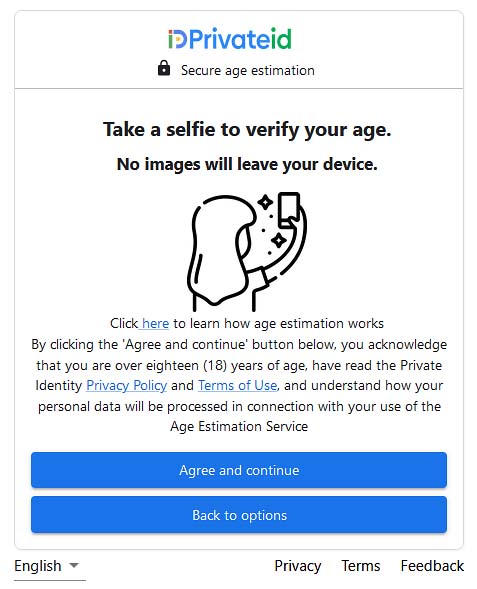
A: Google usually asks for age verification when you try to access age-restricted content or create a new account, especially if your initial signup implied you were underaged. They typically provide a few options for you to choose from. Common methods include uploading a valid government-issued ID, like a driver's license or passport, or using a credit card. Sometimes, they might even offer a parent or guardian consent option for younger users, where a parent verifies through their own Google account. These methods are designed to be secure and efficient, protecting your privacy while confirming your age. Try this tomorrow and let me know how it goes.
3. Q: What happens if I do not verify my age on Google?
A: If you don't verify your age, you might find yourself locked out of certain Google services, which can be a real bummer. Specifically, you could lose access to YouTube videos flagged for mature audiences, or even features within Google Play and other applications. Your account could face temporary restrictions or even be suspended until verification is completed. It’s Google’s way of ensuring compliance with age-gating laws and protecting minors. This isn't just about fun content; it's about digital responsibility and safety regulations. Don't let this trip you up! Get that verification done quickly.
4. Q: Is my personal information safe when I verify my age with Google?
A: Absolutely, Google takes your privacy and data security very seriously during the age verification process. When you upload an ID or use a credit card, Google employs advanced encryption and security protocols to protect that sensitive information. They state clearly that the data is used solely for age verification purposes and is not stored longer than necessary or shared with third parties for marketing. In 2026, Google has even tighter protocols, including enhanced anonymization techniques, to ensure your identity remains protected. It's a commitment to user trust and data integrity. You've got this!
Intermediate / Practical & Production
5. Q: What specific documents are accepted for age verification by Google?
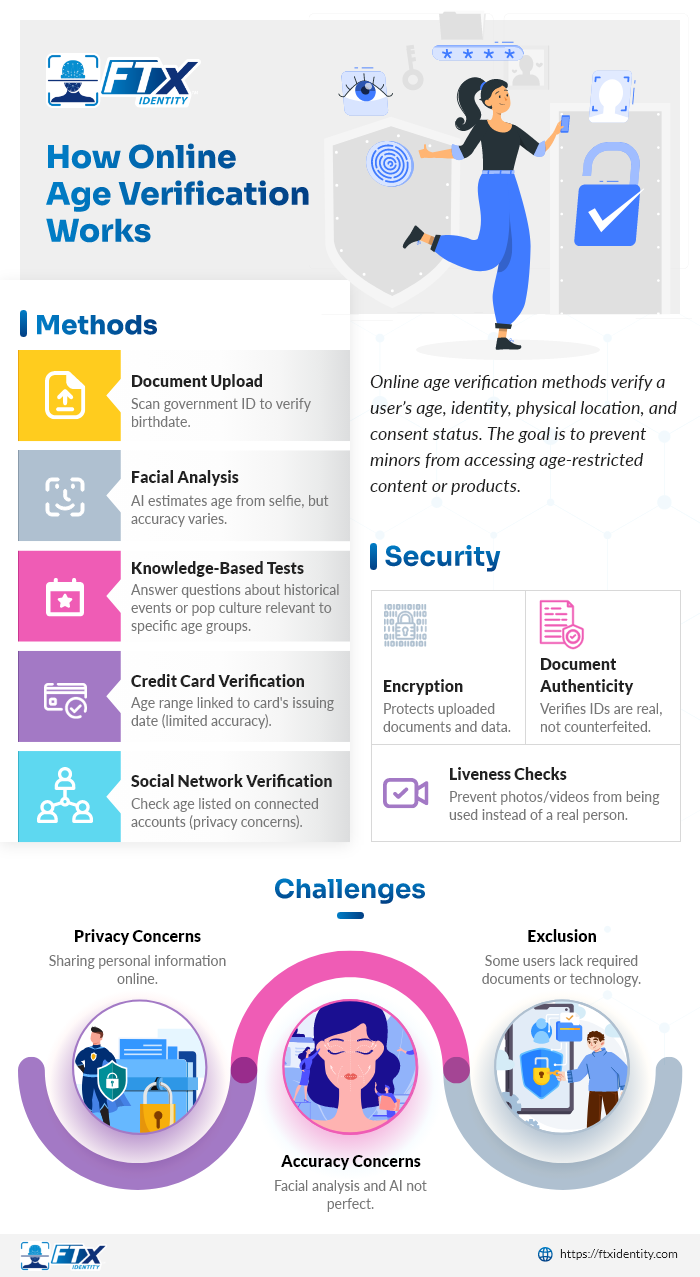
A: Google is pretty flexible with accepted documents for age verification, but they must be official and clearly show your birthdate. Generally, they accept government-issued IDs such as a passport, driver's license, or national identity card. It is crucial that the document is current and not expired, as older IDs might be rejected by their automated systems. Make sure the name on the ID matches your Google account name as closely as possible for a smooth process. Sometimes, depending on your region, other local official documents might be accepted, but passports and driver's licenses are universally recognized. This ensures accuracy and helps prevent fraud effectively.
6. Q: Can I use a credit card for age verification and how does it work?
A: Yes, you absolutely can use a credit card for age verification, and it is a popular method for many users. When you choose this option, Google makes a small, temporary authorization charge to your card, usually a few cents or a dollar. This is not a real charge but a way to confirm that the card is valid and associated with an adult. The transaction is immediately reversed, so you won't actually be charged. This method leverages established financial systems to confirm identity without requiring a photo ID upload. It is quick, secure, and widely accessible for a seamless verification experience. Don't worry, your banking details remain protected throughout this process.
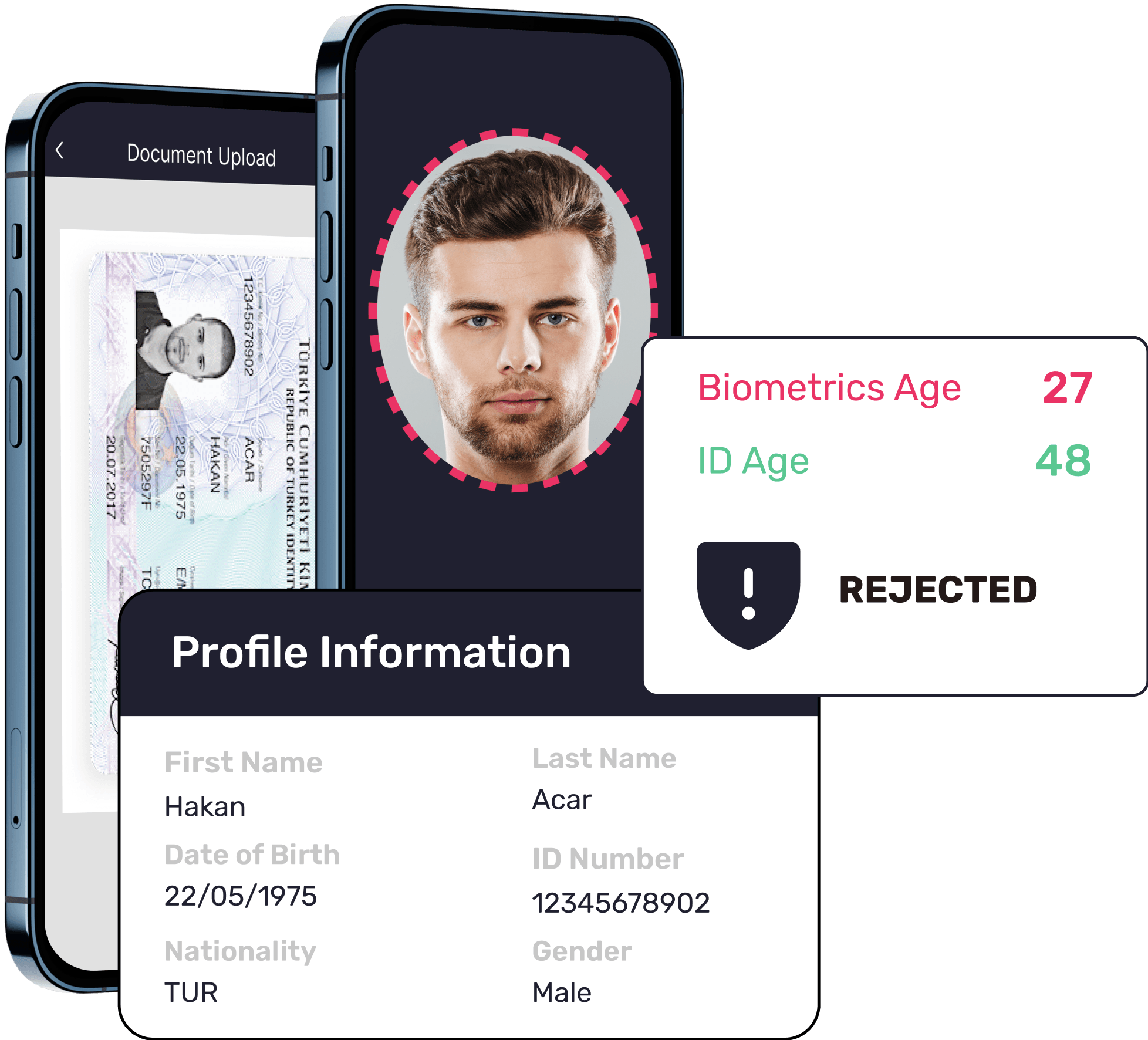
7. Q: What should I do if my age verification attempt is rejected?
A: Don't panic if your age verification attempt gets rejected; it happens sometimes, and there are steps you can take. First, carefully review the reason for the rejection, which Google usually provides. Common issues include blurry images of IDs, expired documents, or names that don't match your account. Try resubmitting with a clearer photo, an up-to-date document, or an alternative verification method. If problems persist, you can reach out to Google's support team for personalized assistance. They might offer further guidance or different options based on your specific situation. Persistence is key, and you'll get it sorted!
8. Q: How long does Google age verification typically take to process?
A: The processing time for Google age verification can vary depending on the method you choose, but it's often quite fast. If you use a credit card, the verification is usually instant or takes just a few minutes, as it's an automated process. For government ID uploads, it might take a bit longer, typically a few hours to a day, as there could be a human review component involved. In some rare cases, especially if there are discrepancies or high volumes, it could extend to a couple of business days. Google aims for efficiency, but thoroughness is also important for security. Patience is a virtue here, but it's usually quick!
9. Q: Can parental controls interfere with age verification on Google?
A: That's a great question, and yes, parental controls can definitely play a role in how age verification works on Google. If your account is managed through Google Family Link, a parent or guardian might need to approve any age changes or verifications. Their account acts as the primary gatekeeper, ensuring that minors aren't bypassing restrictions independently. Sometimes, parental settings might even trigger an age verification request if a child tries to access content beyond their designated age range. It's a system designed to work hand-in-hand, providing an extra layer of protection for younger users. Remember to communicate with your parents!
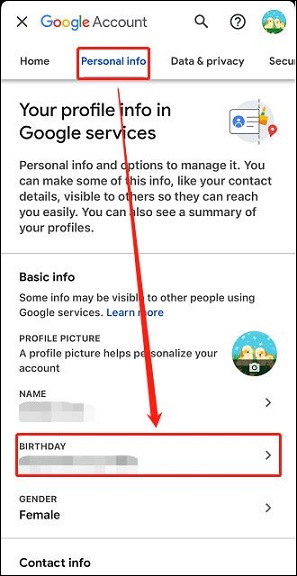
10. Q: What if my birthday on Google is incorrect? How do I change it?
A: Correcting an incorrect birthday on Google is straightforward, but it might trigger an age verification if the change suggests you are now a minor. You can head to your Google Account settings, then navigate to 'Personal info,' and locate your 'Birthday.' Simply edit the date to the correct one and save your changes. If the updated date places you under Google's minimum age, you will likely be prompted to verify your age or have a parent approve the change through Family Link. This ensures your account status aligns with your actual age and Google’s policies. You've got this, fixing it is easier than you think!
Advanced / Research & Frontier 2026
11. Q: Are there any new age verification technologies Google is implementing in 2026?
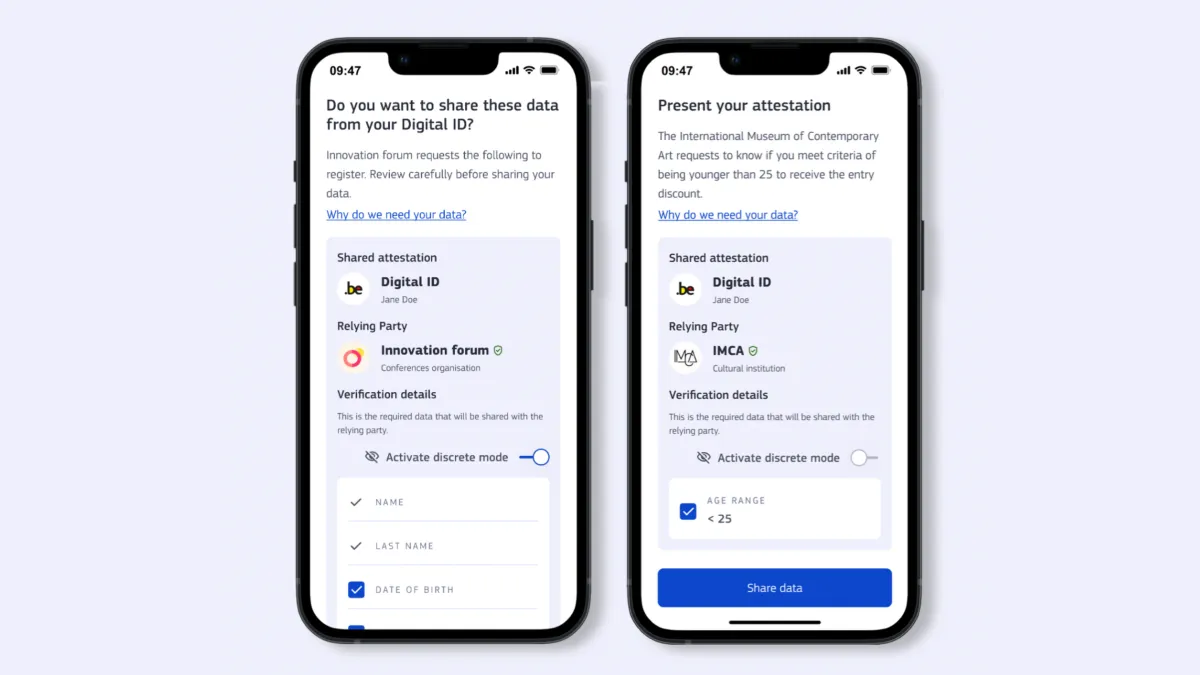
A: Absolutely, 2026 is seeing some fascinating advancements in age verification technology from Google. While they're still leveraging traditional methods, there's growing experimentation with privacy-preserving technologies. We're seeing trials with zero-knowledge proofs, where age can be confirmed without revealing the actual birthdate or ID details. There's also research into decentralized identity solutions, giving users more control over their personal data. These frontier models aim to enhance both security and user privacy, making verification even more seamless and less intrusive. It's an exciting time for digital identity, combining strong security with user-centric design. You're at the cutting edge!
12. Q: How do global privacy laws like GDPR and CCPA affect Google's age verification process?
A: Global privacy laws like GDPR and CCPA significantly influence how Google handles age verification, especially in 2026. These regulations mandate strict data minimization and user consent. Google must only collect the necessary data for verification and explicitly inform users about how that data will be used and stored. For instance, under GDPR, if a minor's data is processed, parental consent is often required, which directly impacts Google Family Link's design. These laws ensure transparency, accountability, and the right to erasure, pushing Google to adopt more robust privacy-by-design principles in all its verification workflows. It's a complex dance, but ultimately, it empowers users.
13. Q: What are the implications of AI and machine learning in future age verification methods?
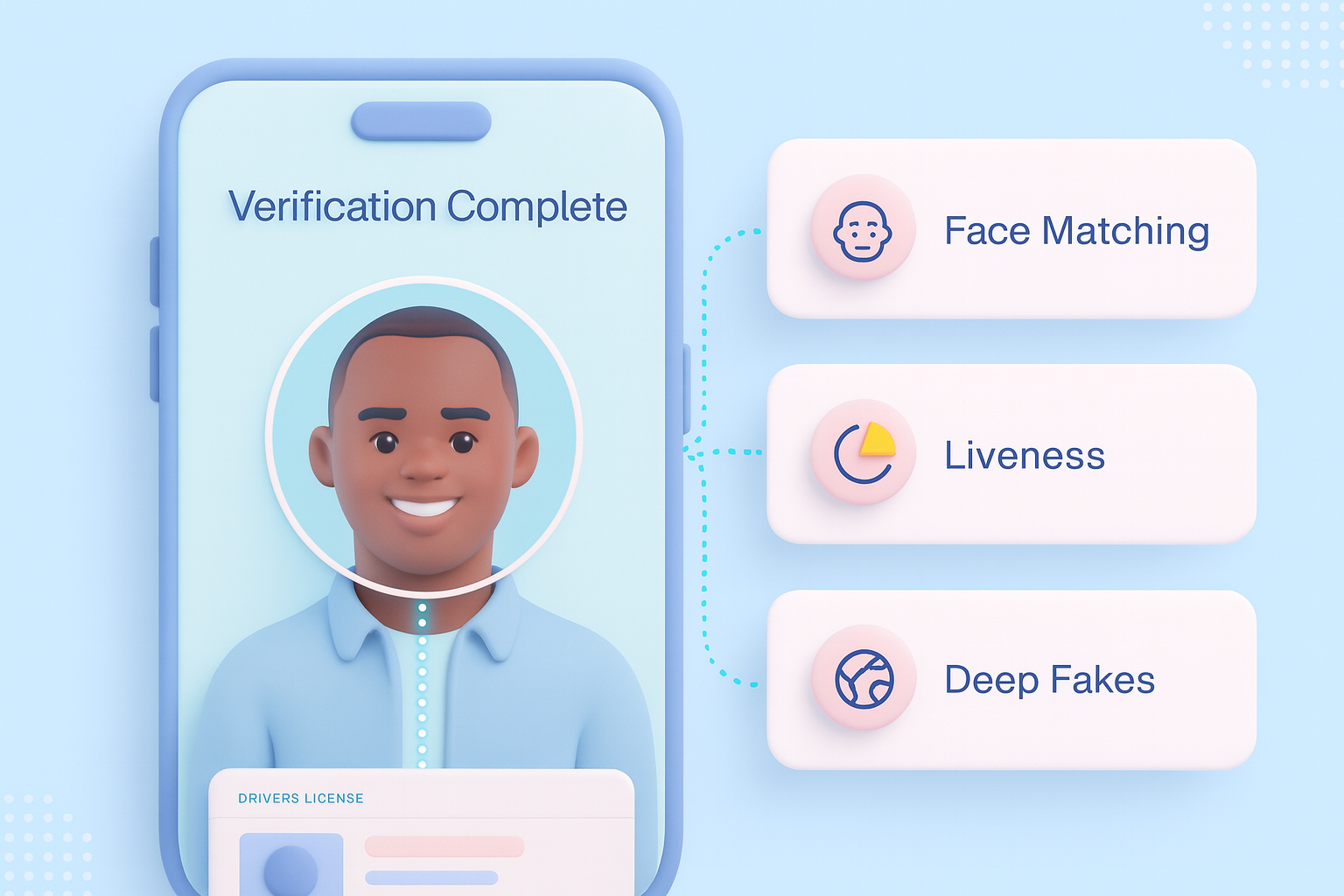
A: AI and machine learning are rapidly transforming future age verification methods, and by 2026, their implications are profound. AI models are being trained to recognize patterns in government IDs with remarkable accuracy and speed, reducing manual review times and errors. They can detect forged documents more effectively, enhancing security. Furthermore, ML algorithms are crucial for developing privacy-preserving techniques like facial geometry analysis (without storing actual images) or behavioral biometrics, though these are still in early stages for broad adoption. The goal is to make verification instantaneous, highly secure, and minimally invasive, while constantly battling sophisticated fraud attempts. The future is intelligent verification!
14. Q: Can I appeal a permanent account restriction due to age verification issues?
A: Yes, in most cases, you can absolutely appeal a permanent account restriction resulting from age verification issues. Google typically provides a clear appeals process, which is critical for fairness. You'll usually need to submit additional evidence, like a clearer scan of your government ID or a different verification method, to prove your age. It's important to provide all requested information accurately and promptly. Be prepared to explain any discrepancies or previous issues. While it might take a bit of time, Google's appeal teams are there to review your case and overturn restrictions if sufficient proof is provided. Don't give up on your account easily!
15. Q: How does Google ensure age verification compliance across its diverse product ecosystem (YouTube, Play Store, Search)?
A: Google ensures age verification compliance across its vast ecosystem through a multi-faceted approach, continually evolving in 2026. At the core, a centralized Google Account age provides a foundational age-gate. For specific products like YouTube, additional content-specific age restrictions are layered on, often relying on content creators to tag videos appropriately. The Play Store enforces age ratings for apps, requiring verification for mature purchases. Google Search itself uses SafeSearch to filter explicit content, which can be further enhanced by age verification. This integrated strategy combines user-provided data, content ratings, and platform-specific rules to create a comprehensive age-gating system. It's a complex, but essential, digital safety net.
Quick 2026 Human-Friendly Cheat-Sheet for This Topic
- Double-check your birthday in Google Account settings often.
- Keep a clear, unexpired government ID handy for verification needs.
- Consider using a credit card for super quick age confirmation.
- If rejected, always review Google's specific reason for denial.
- Remember, Family Link means parents might need to approve age changes.
- Stay updated on Google's privacy policies; they're always improving!
- Don't sweat it, verification is usually a simple process once you know the steps!
Google age verification importance, step-by-step guide, accepted verification methods, common issues and fixes, impact on Google services, privacy and security, parental controls integration, future 2026 updates.
35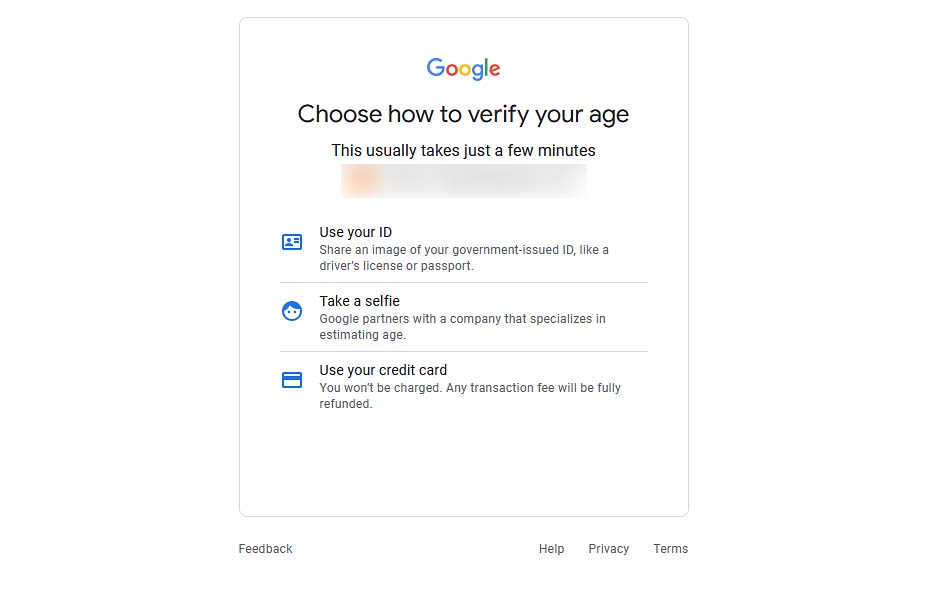


Google Private ID Photo Age All You Need To Know Tech Google Account Age 2 . Google Private ID Photo Age All You Need To Know Tech Google PrivateID Photo Age All You Need To Know 1068x591 . Steam UK Age Tutorial Why How To Verify Fix Issues F 1758782245 0.webp. How To Verify Your Age On Google Account 2026 Updated Guide YouTube Hqdefault . How To Verify Your Age On Google Account Full Guide YouTube


How To Fix Choose How To Verify Your Age Google Account Problem YouTube . How To Choose An Age System For Your Business Age 4.webp. Google Private ID Photo Age All You Need To Know Tech Selfie Age 300x504 . How To Verify Age On Google Account 2025 Step By Step YouTube . How To Verify Your Age On Google Account NEWEST METHOD YouTube



Australian Government Wants To Add Age To Google Searches . How To Verify Your Age On Google Account 2026 Updated Easy Guide . Google Rolls Out AI Age Can You Bypass It Bypass Google Age 800x400 . How To Verify Your Age On Google Play Store What You Shouldn T Do . Google Private ID Photo Age All You Need To Know Tech Selfie Age 2 1


How To Verify Your Age On Google Account 2025 Update Guide YouTube . Magnify Google Is Introducing AI Driven Age Checks To Better Identify Media. Google Private ID Photo Age All You Need To Know Tech Age Successful 1 377x420 . Google Search Begins Age System For Users Age Google Search.webp. Google Choose How To Verify Your Age Use A Credit Card To Verify 1


Google Adds Age Detection Google Adds Age Detection 2vnWq8EfQ. Google Account Fix Choose How To Verify Your Age Use A Credit Card . Android Will Ask Users To Verify Their Age In Australia 9to5Google YouTube Age Gating.max 1000x1000 1 . How To Verify Your Age On YouTube Quick Age Guide How To Verify Your Age On Youtube 5 . How To Verify Your Age On Google Play Store What You Shouldn T Do F 1761731183 8360.webp

How To Use An Age System A Guide For Businesses IDenfy Age System . Instant Age Assurance Fast Secure AI Powered Av . 7 Benefits Of An Age System In Retail Age System What It Is And Its Benefits 5 2 . EU Follows UK With Age In 2026 EU Age. Best Age Software Providers Of 2026 Growth Folks Age


Google Age Redline Derby Racing 1ub486d3fc . Google Private ID Photo Age All You Need To Know Tech Selfie Age 3 237x300 . How To Verify Your Age On Gmail YouTube . V Rification De L Ge En Ligne Google A T Il Trouv La Solution Google Age 02 . How Do Websites Verify Age Guide To Online Age How Online Age Works